

2026-04-12
綠界科技 (ECPay) 電子發票串接設定
功能位置:左側導覽列「設定」> 「發票管理」 綠界科技 (ECPay) 發票的設定方式:
Step 1.
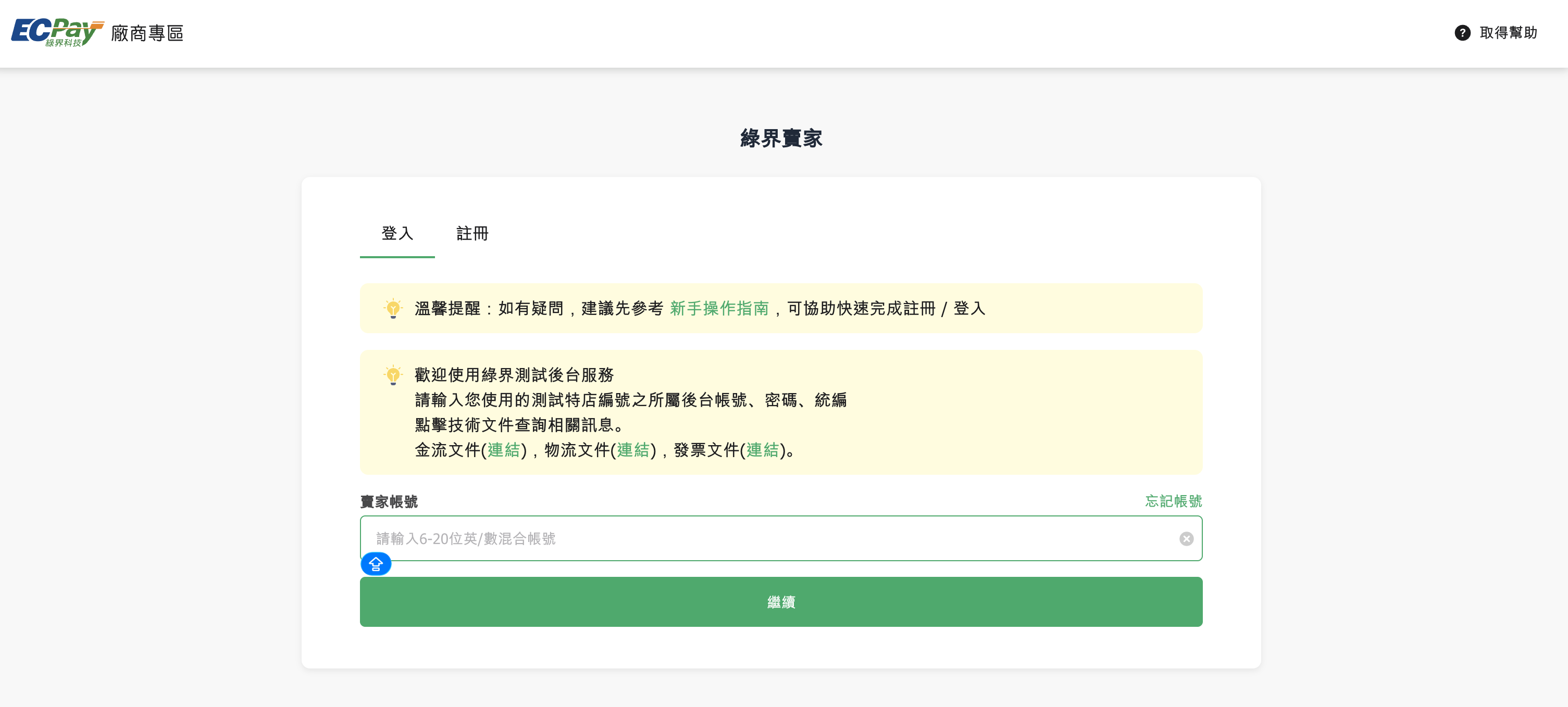
進入 綠界科技 (ECPay) 後台 https://vendor-stage.ecpay.com.tw/User/LogOn_Step1 並登入您的帳號。
Step 2.
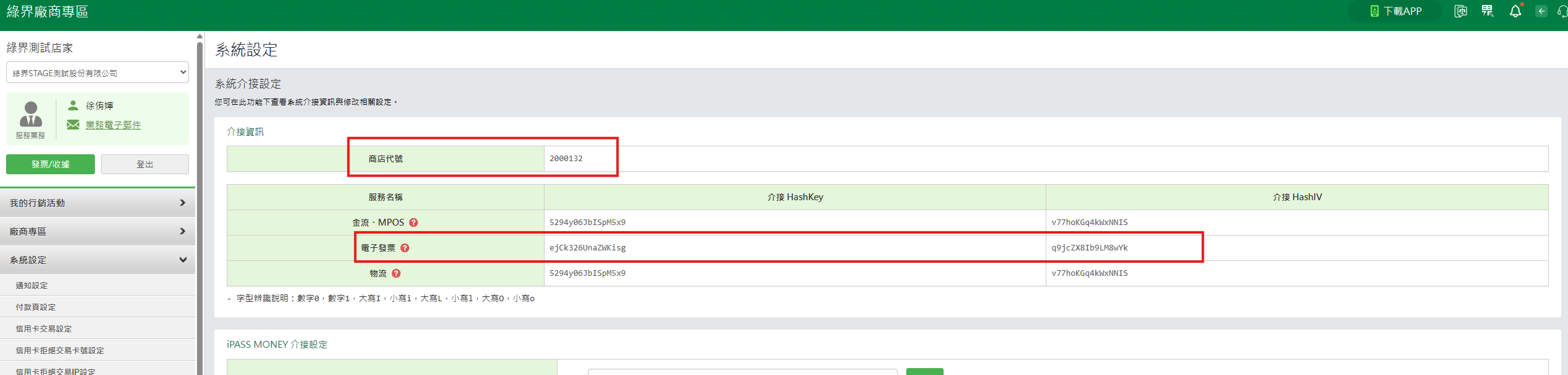
進入之後,點擊左側「系統設定」,找到「商店代號」、電子發票「介接 HashKey」、「介接 HashIV」並一一複製。
Step 3.
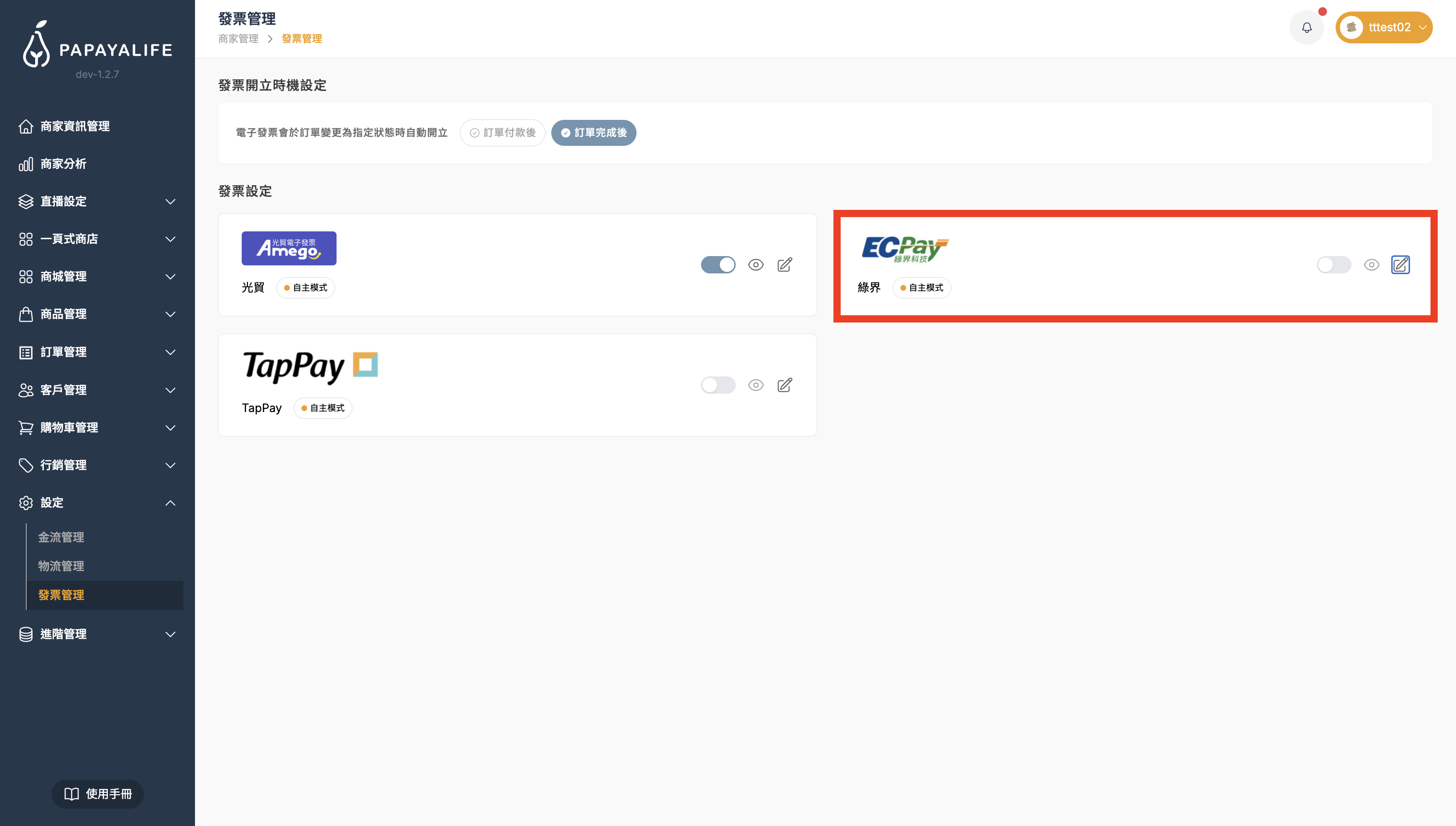
打開木瓜生活後台,點擊左側導覽列「設定」> 「發票管理」>「綠界」
Step 4.
「商店代號」貼上至木瓜生活的「綠界商店代號」
「介接 HashKey」貼上至木瓜生活的「綠界介接 HashKey」
「介接 HashIV」貼上至木瓜生活的「綠界介接 HashIV」
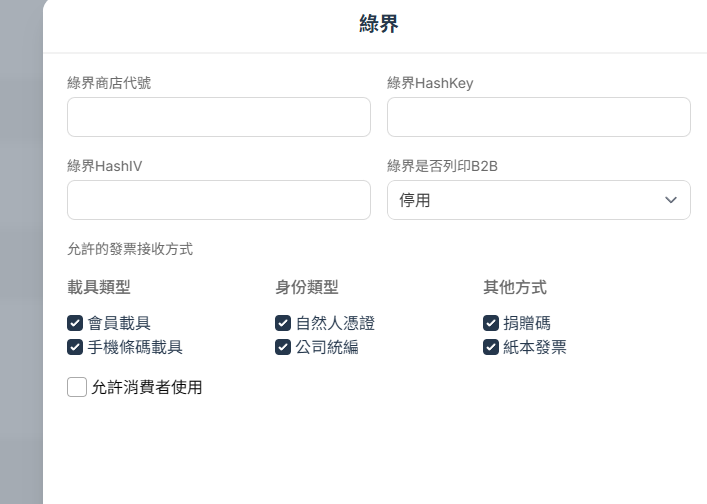
- B2B 說明:https://support.ecpay.com.tw/5044/
- 允許的發票接收方式:給客人的發票選項,以下都可自行設定勾選。
- 會員載具:發票存雲端。
- 手機條碼載具:存入客人的手機條碼。
- 自然人憑證:存入客人的自然人憑證。
- 公司統編:需打統編報帳的客人。
- 捐贈碼:捐給慈善機構。
- 紙本發票:傳統列印出來的發票。