
Tutorial articles

2026-04-12

客人打錯字怎麼辦?如何設定「錯別字」聽懂各種加一?

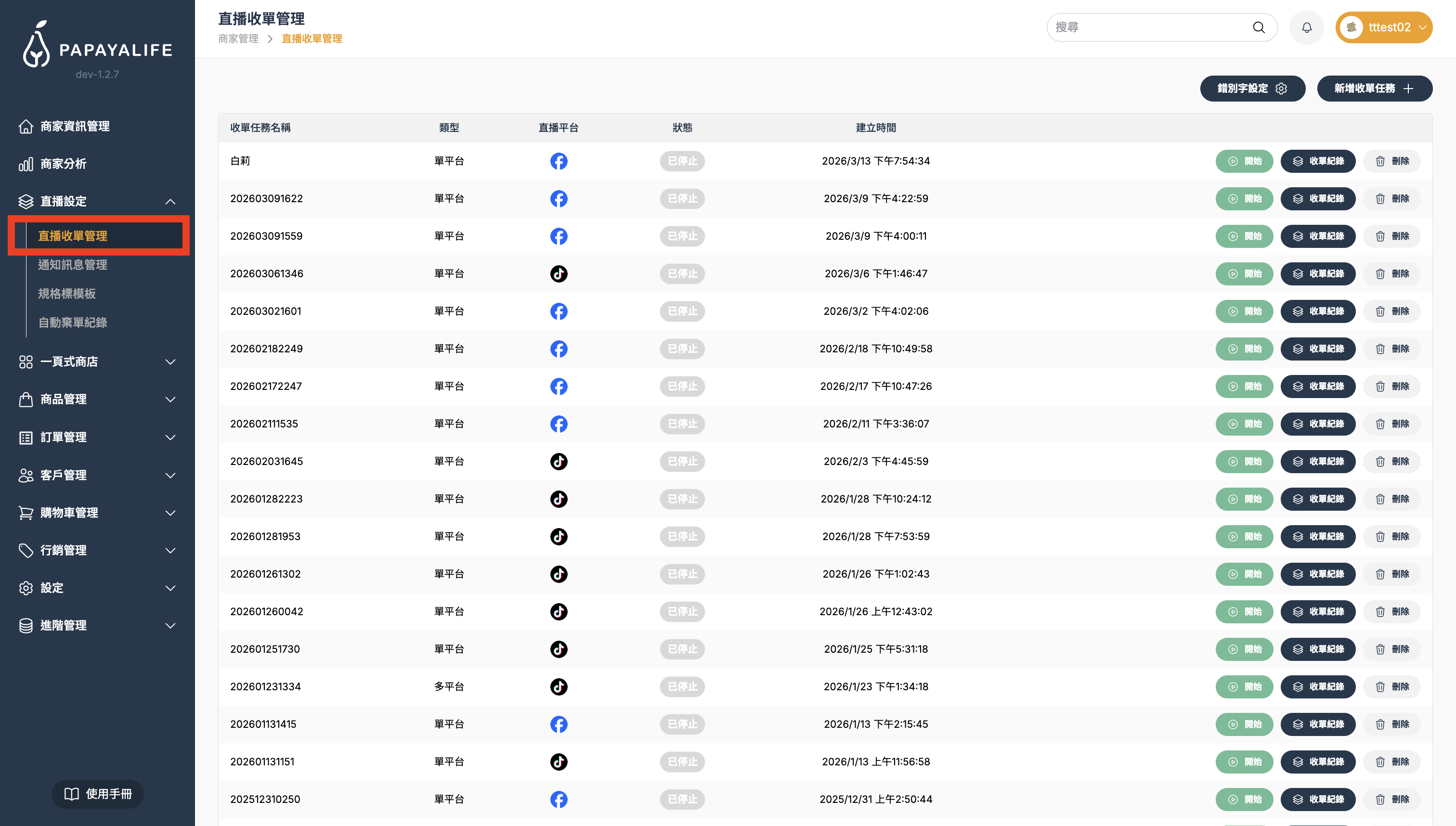
功能位置:左側導覽列「直播設定」> 「直播收單管理」> 「收單紀錄」

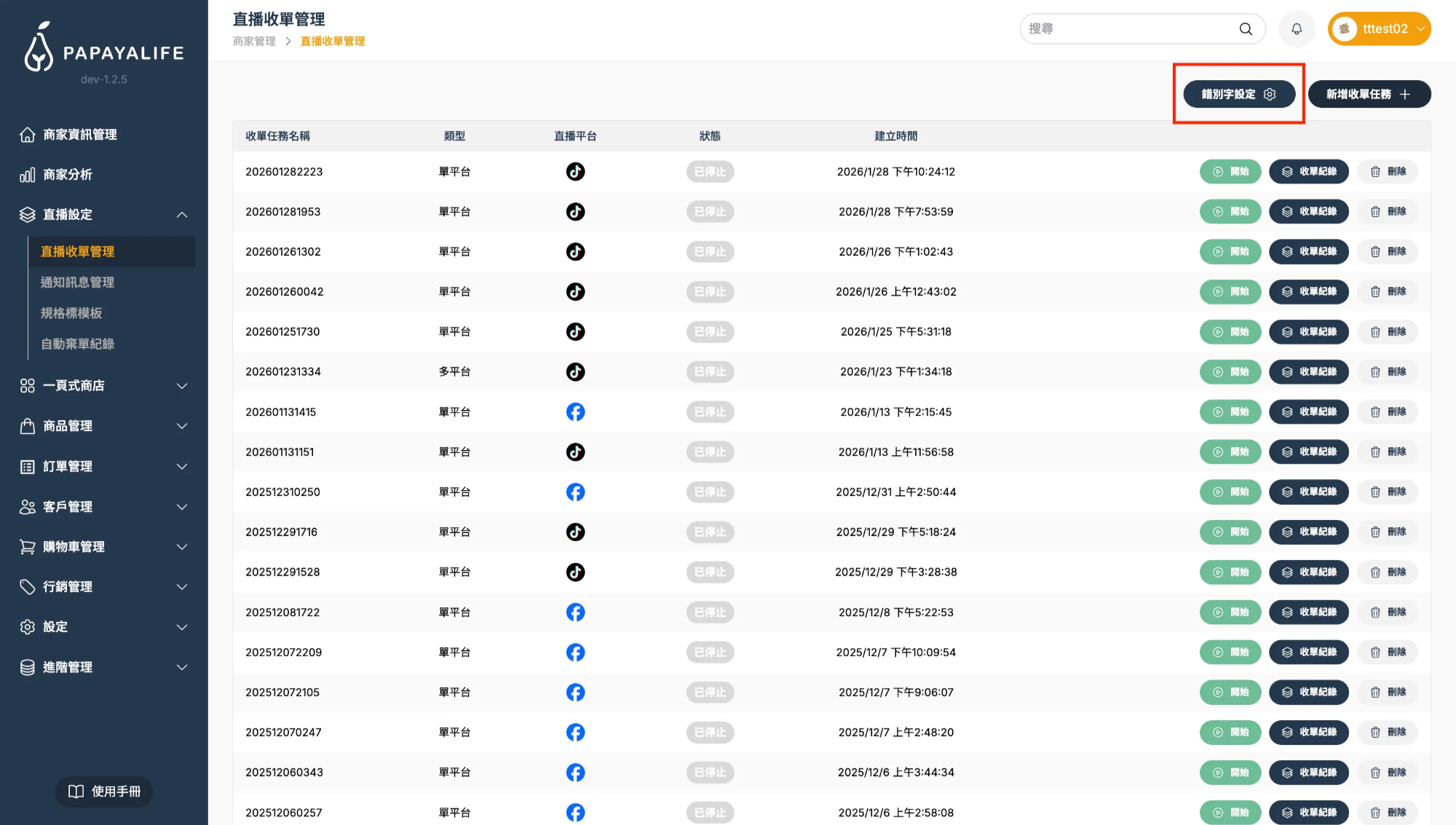
為了避免客人因打錯字或個人輸入習慣導致下單失敗,您可以在直播收單管理頁面右上角的「錯別字設定」中,告訴系統哪些字等於「+」號。

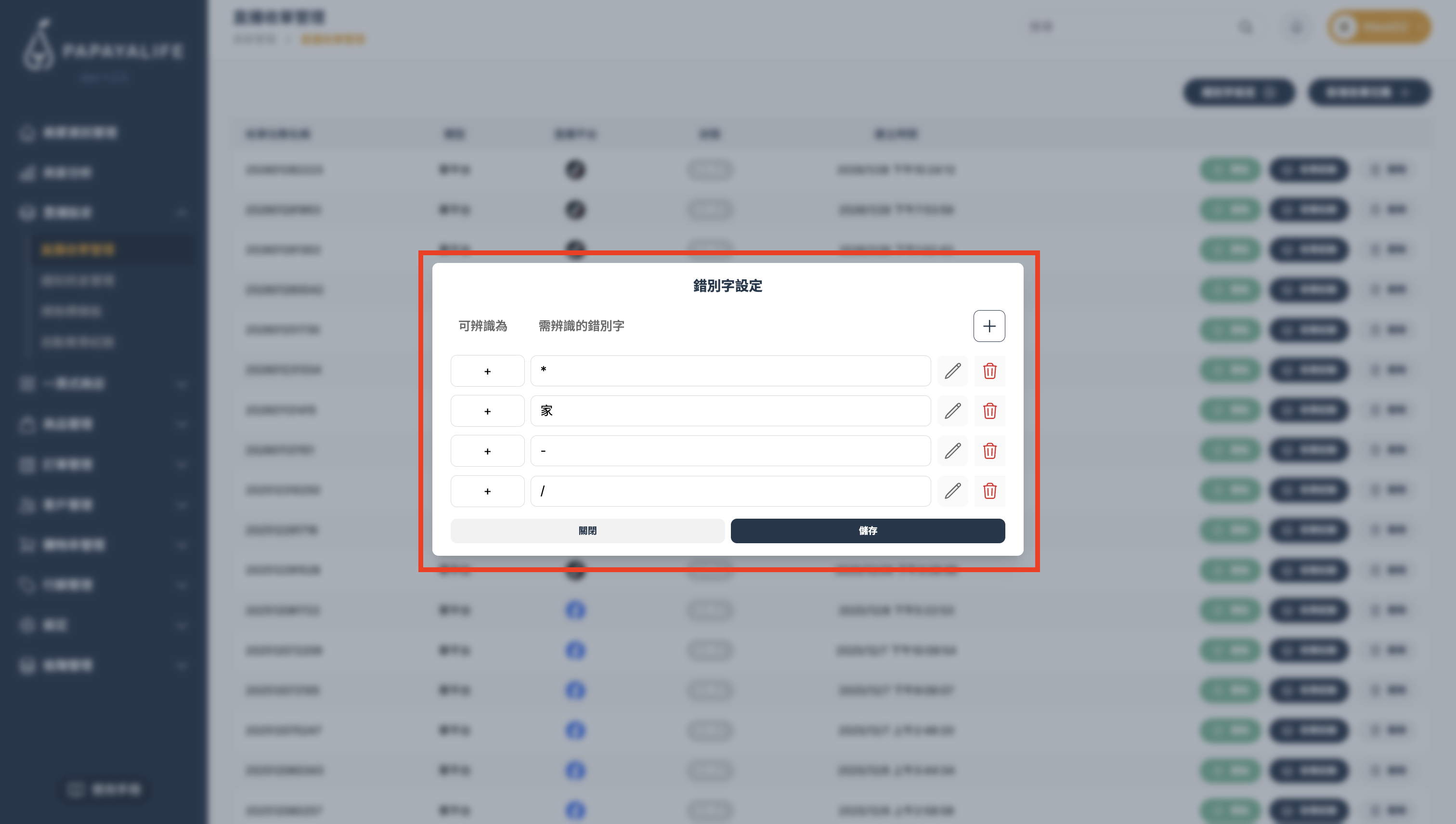
一句話,這個功能的邏輯就是:您指定的文字 = 系統判定為「+」

操作步驟

  1. 前往「直播設定」> 「直播收單管理」
    截圖 2026-03-18 下午1.13.33.png
  2. 點擊右上方「錯別字設定」按鈕
    截圖 2026-02-03 下午3.37.28.png
  3. 在欄位中輸入上述符號或自定義文字
    截圖 2026-02-03 下午4.42.27.png
  4. 輸入完成,點擊右下「儲存」即可生效

💡 提醒: 您不需要設定所有商品名稱的錯字,只需專注於「用來連接商品與數量的符號」(即替代「+」號的字)即可。

Wanlin International is more than a technology provider—we’re a partner with heart.

Our team brings diverse expertise and one shared belief: serve with care and build a better future together. Let’s meet every challenge and help every live host unlock their full potential on the PAPAYALIFE platform.