
Tutorial articles

2026-04-12

如何使用「批次宅配出貨」大量匯入貨運單號?

功能列位置:左側導覽列「訂單管理」>「批次宅配出貨」

這個功能通常是給「使用非系統串接物流」的商家使用的。

情境:當您配合的物流是傳統的「大榮貨運」,而司機大哥給了您 50 組手寫的物流單號,您不想一筆一筆點進訂單輸入單號。

操作方式

Step 1.

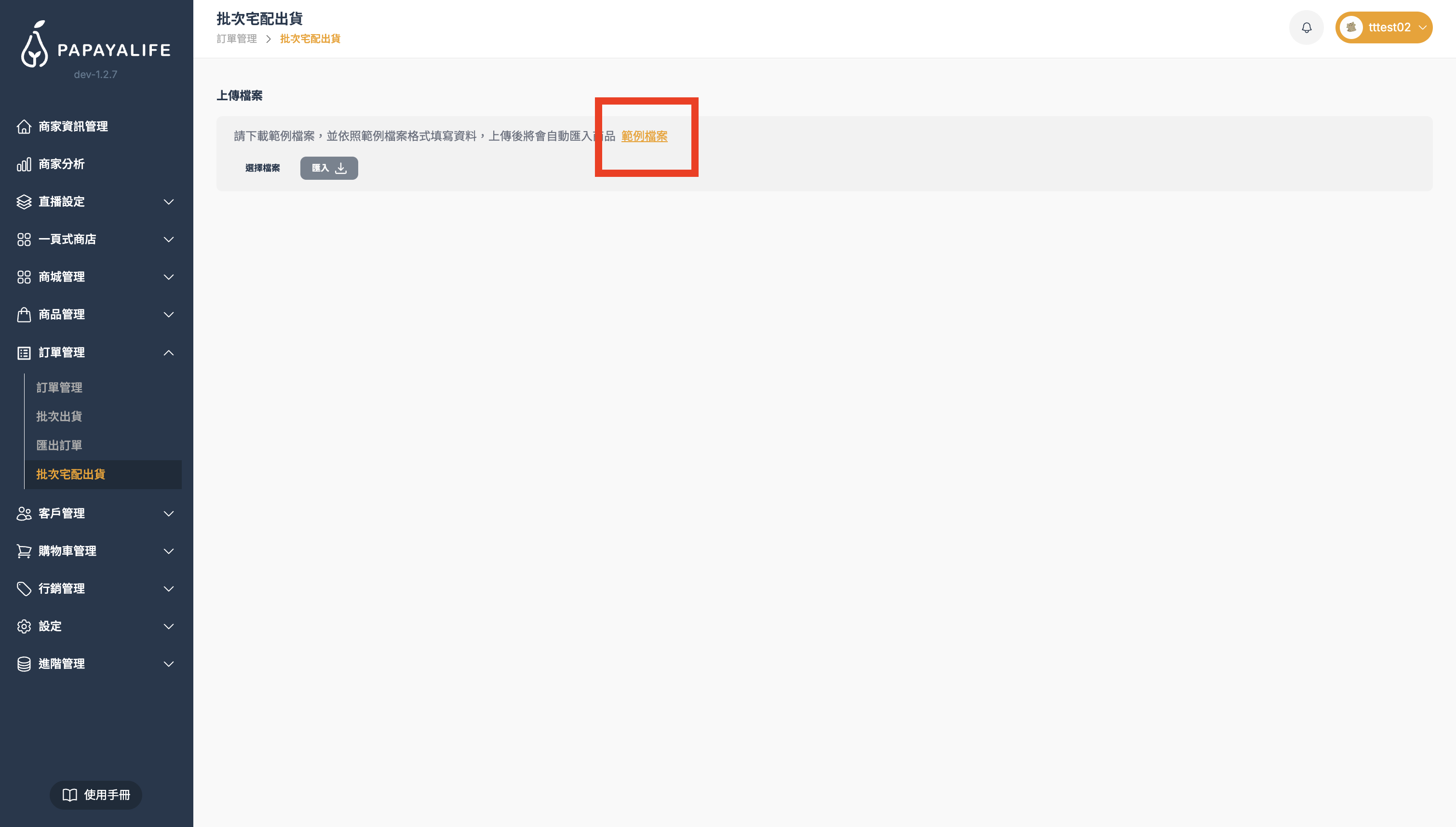
下載範例檔案:請務必先點擊畫面上的黃色文字 「範例檔案」

截圖 2026-03-27 下午3.00.53.png

Step 2.

填寫 Excel:打開下載的表格,把訂單編號和對應的貨運編號填進去。
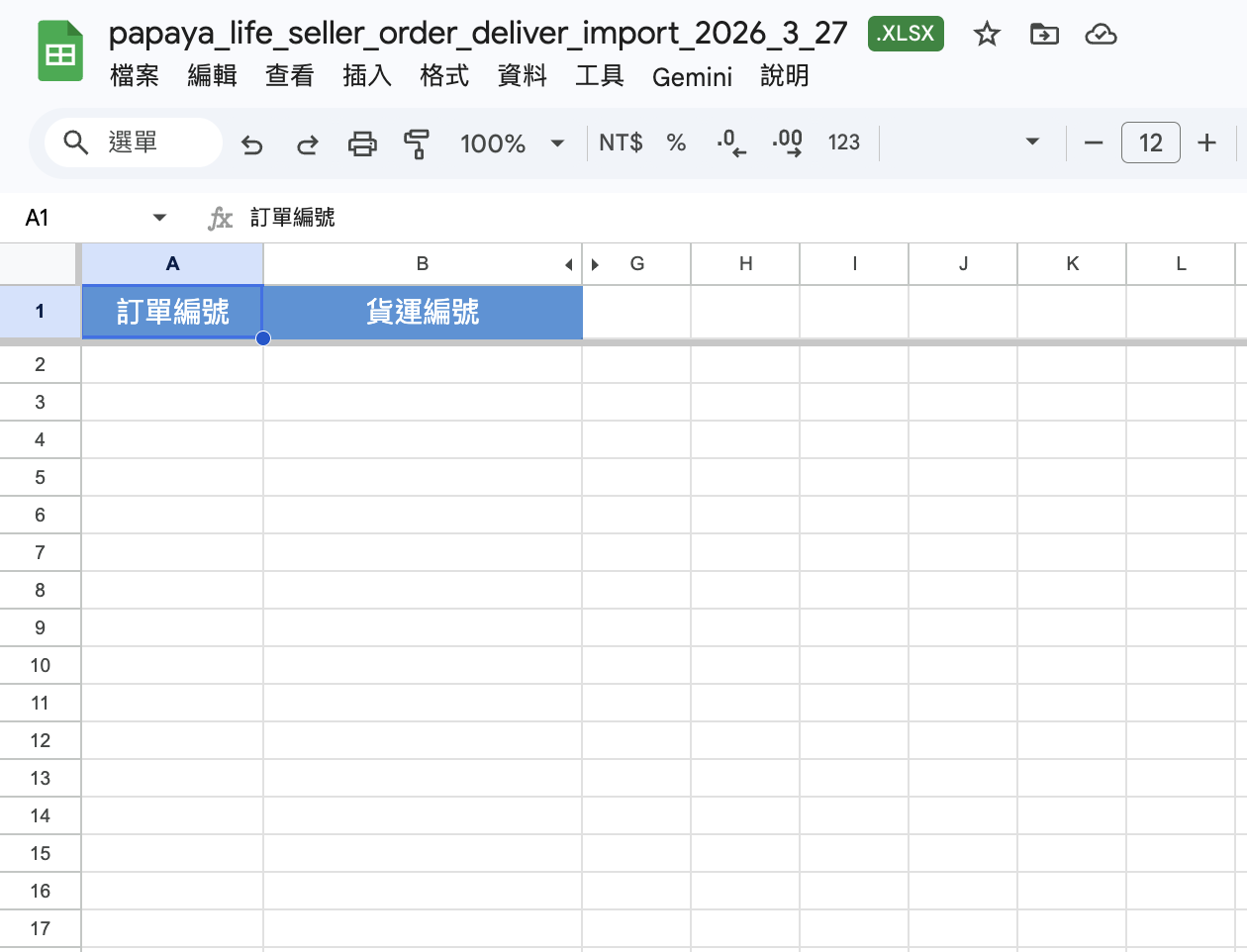
截圖 2026-03-27 下午3.24.22.png

Step 3.

上傳檔案:回到這個畫面,先點擊 「選擇檔案」並選取剛才輸入完畢的Excel檔案。
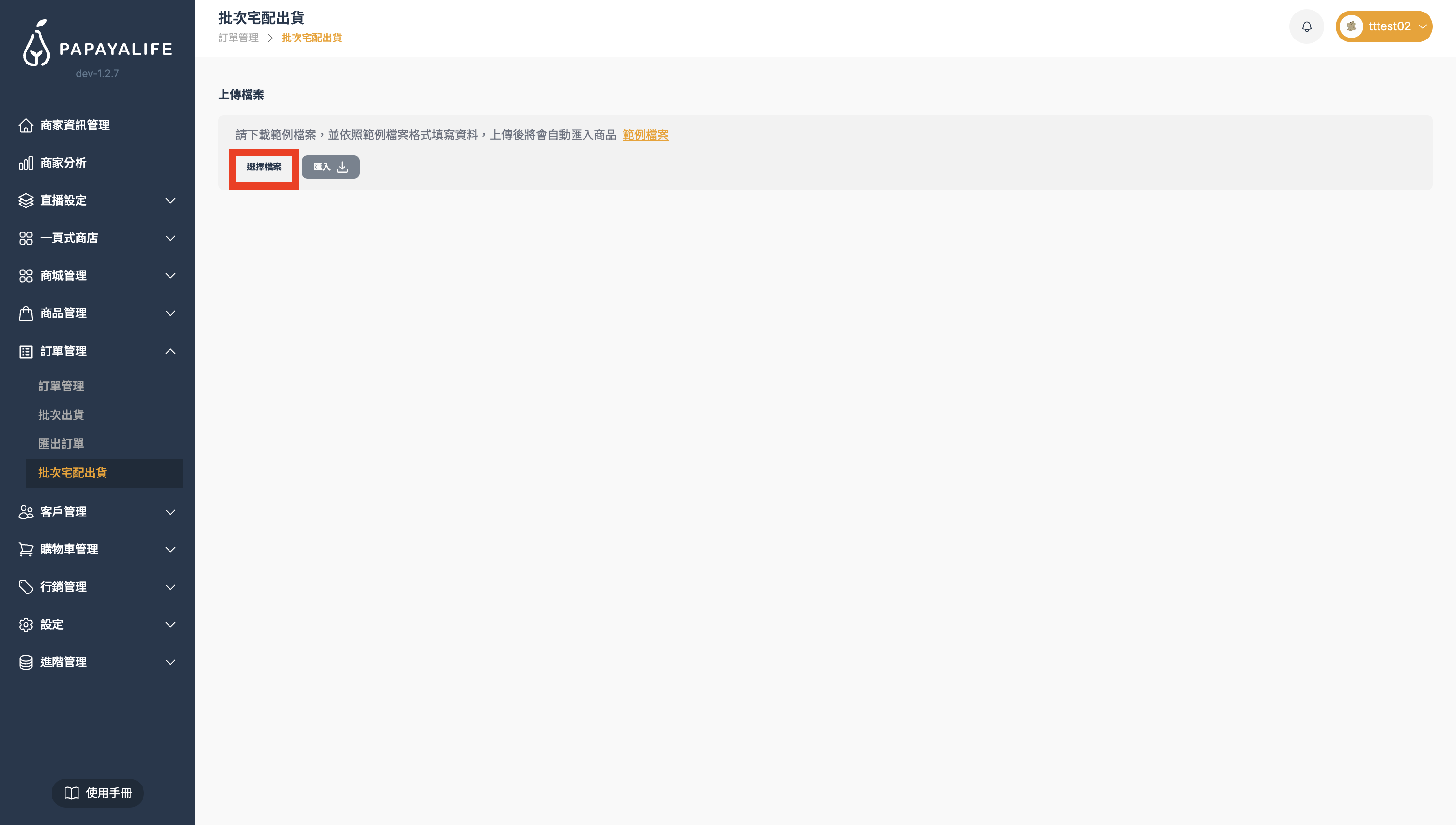
截圖 2026-03-27 下午3.26.19.png

Step 5.

接著點擊「匯入」按鈕上傳,匯入成功後,系統即會將這 50 筆訂單的狀態全部改成「已出貨」。
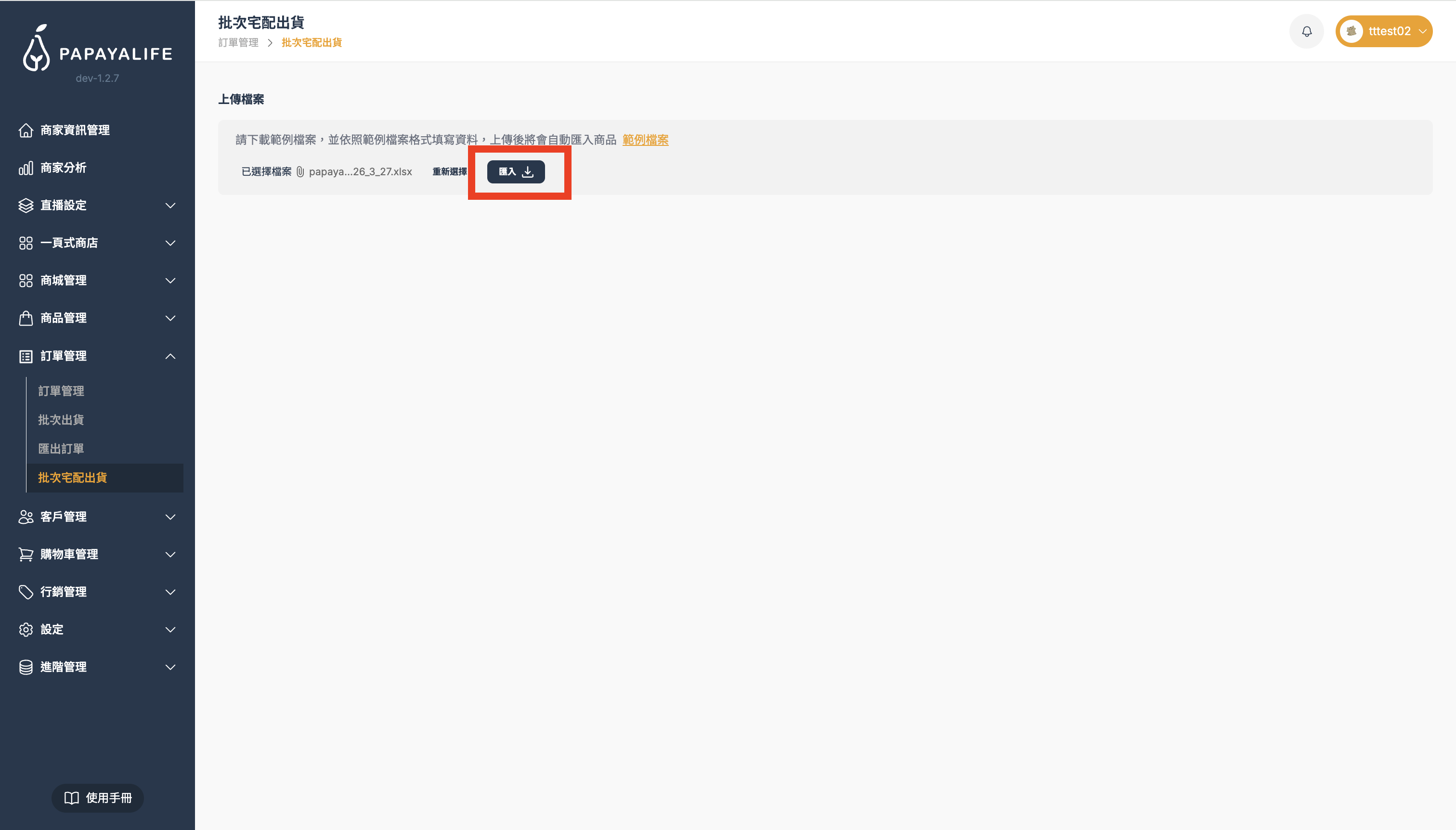
截圖 2026-03-27 下午3.27.08.png

Wanlin International is more than a technology provider—we’re a partner with heart.

Our team brings diverse expertise and one shared belief: serve with care and build a better future together. Let’s meet every challenge and help every live host unlock their full potential on the PAPAYALIFE platform.