

Tutorial articles

2026-04-12

如何設定一頁式網頁的基本資料與專屬網址名稱?

功能位置:左側導覽列「一頁式商店」>「商店頁面」> 右上角「新增頁面」 或 點選現有頁面最右側的「編輯」按鈕。
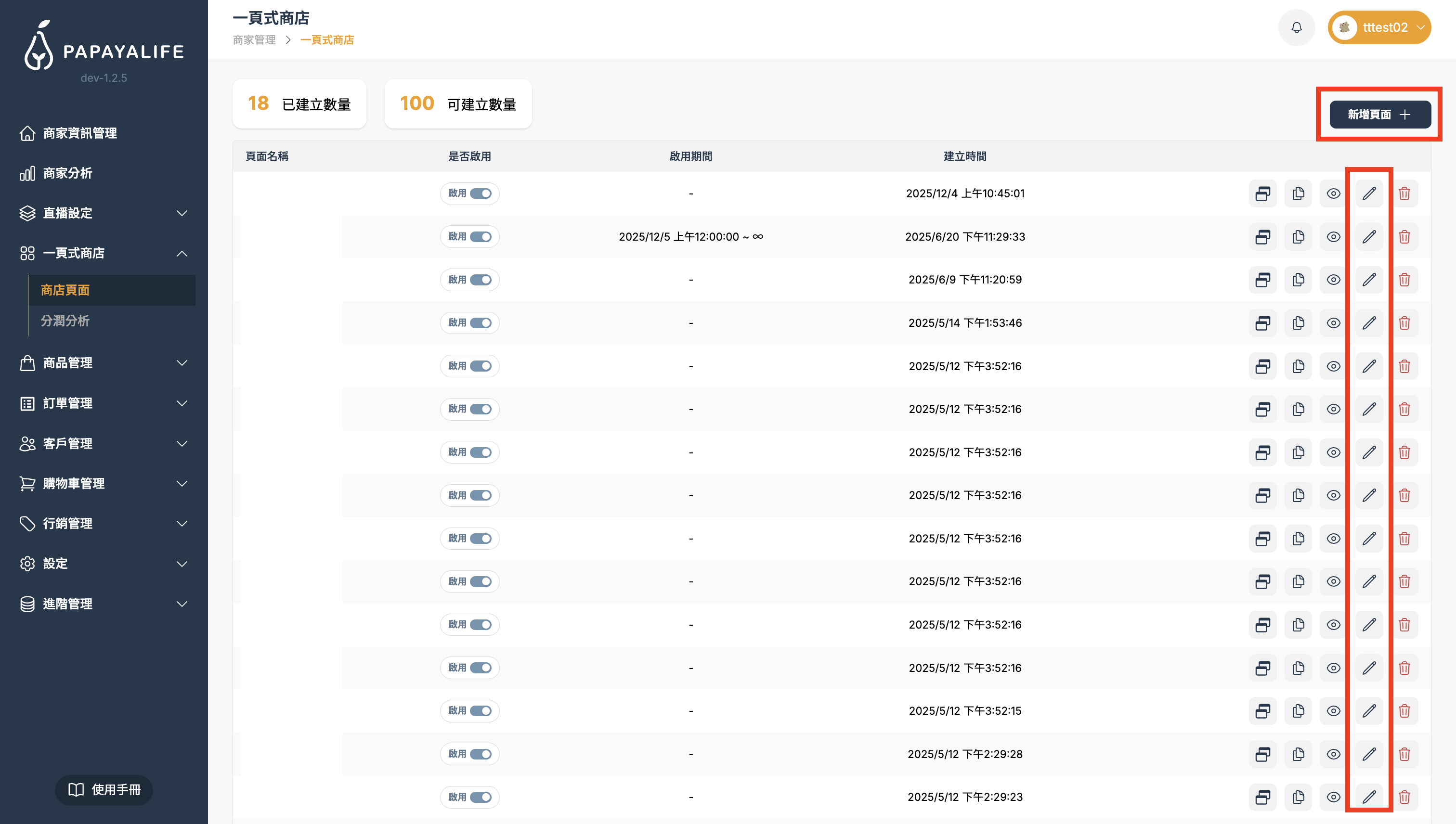
截圖 2026-02-03 下午5.35.46.png

這裡是設計網頁的核心區域。

畫面分為 左側(設定選單)右側(視覺預覽區)。請依照以下順序完成設定:

頁面設定(基本資料)

這是網頁的身分證,請在左側選單最上方填寫。

頁面名稱:這是您這個一頁式的專屬網址名稱。

只能使用小寫英文、數字、連字號(-),因為名稱會顯示在網址上。

注意:不能與其他一頁式的頁面名稱重複。
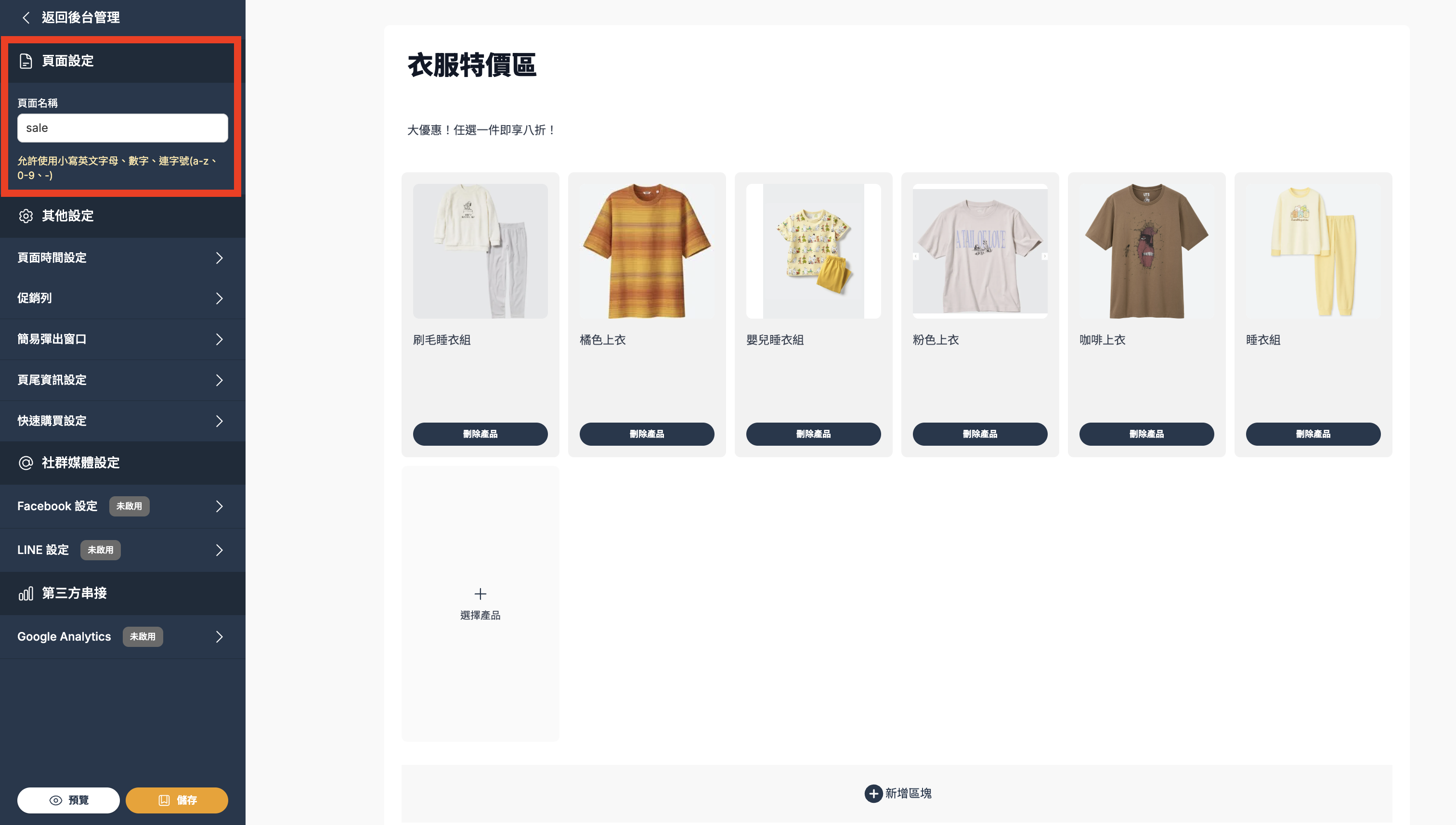
輸入完畢點擊下方「儲存」,即完成頁面名稱設定。

Wanlin International is more than a technology provider—we’re a partner with heart.

Our team brings diverse expertise and one shared belief: serve with care and build a better future together. Let’s meet every challenge and help every live host unlock their full potential on the PAPAYALIFE platform.