
2026-04-12
如何編輯現有商品資訊?
功能位置:左側導覽列「商品管理」>「商品管理」
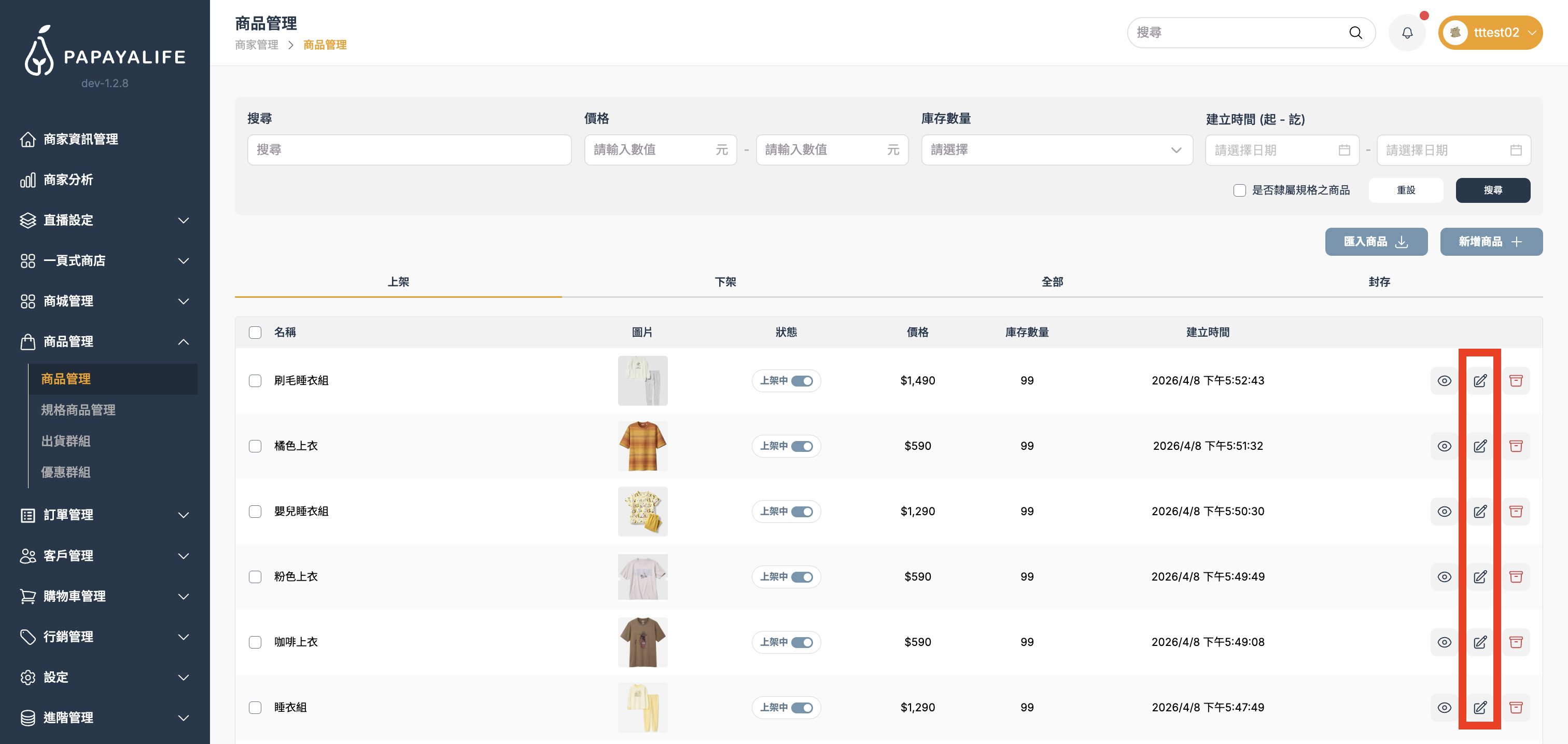
當您建立商品後,列表區會顯示每一項商品的關鍵資訊。
請依據以下欄位進行日常檢查:
- 名稱:商品的品名。
- 圖片:商品的首圖(縮圖)。
- 狀態:顯示該商品目前是「上架」還是「下架」,可透過點擊控制上下架狀態。
- 價格:商品的售價。
- 庫存數量:系統會根據訂單自動扣減,若顯示為 0,客人將無法下單。
- 建立時間:該商品最初建檔的日期。
- 右側「庫存管理」:可以看到庫存進出貨流水紀錄,包含數量與時間紀錄,也可點擊右上新增庫存單新增進出貨與數量。
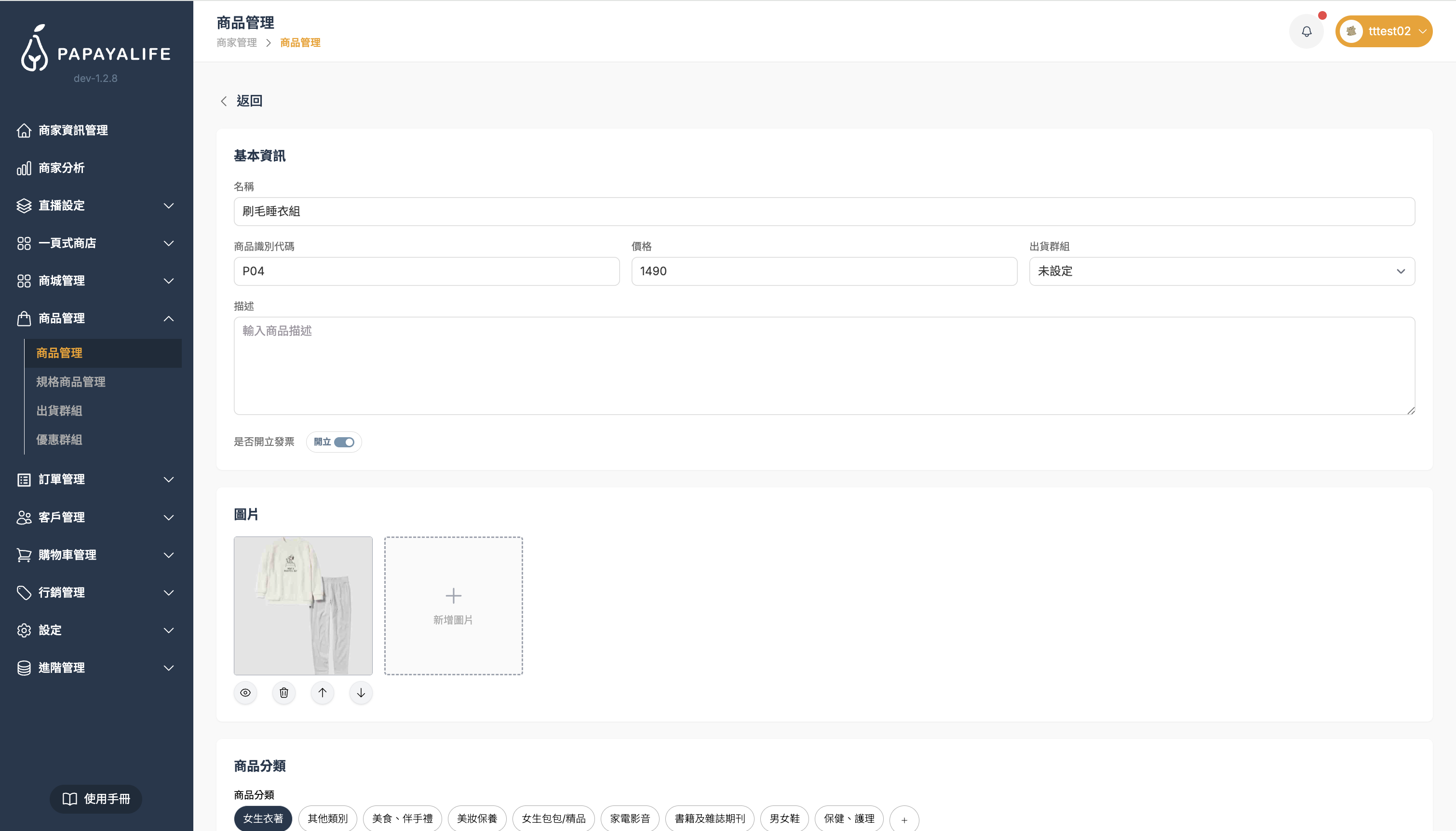
- 右側「編輯」:可在此編輯上架過的商品資訊,包括圖片、分類、多件優惠、物流設定,也可以設定自定義欄位。
點擊現有商品的「編輯」後,會進入該商品資訊欄位,即可在此編輯商品資訊。