
2026-04-12
如何批次匯入黑名單?
功能列位置:左側導覽列「客戶管理」>「黑名單管理」
批次匯入黑名單的步驟
Step 1.
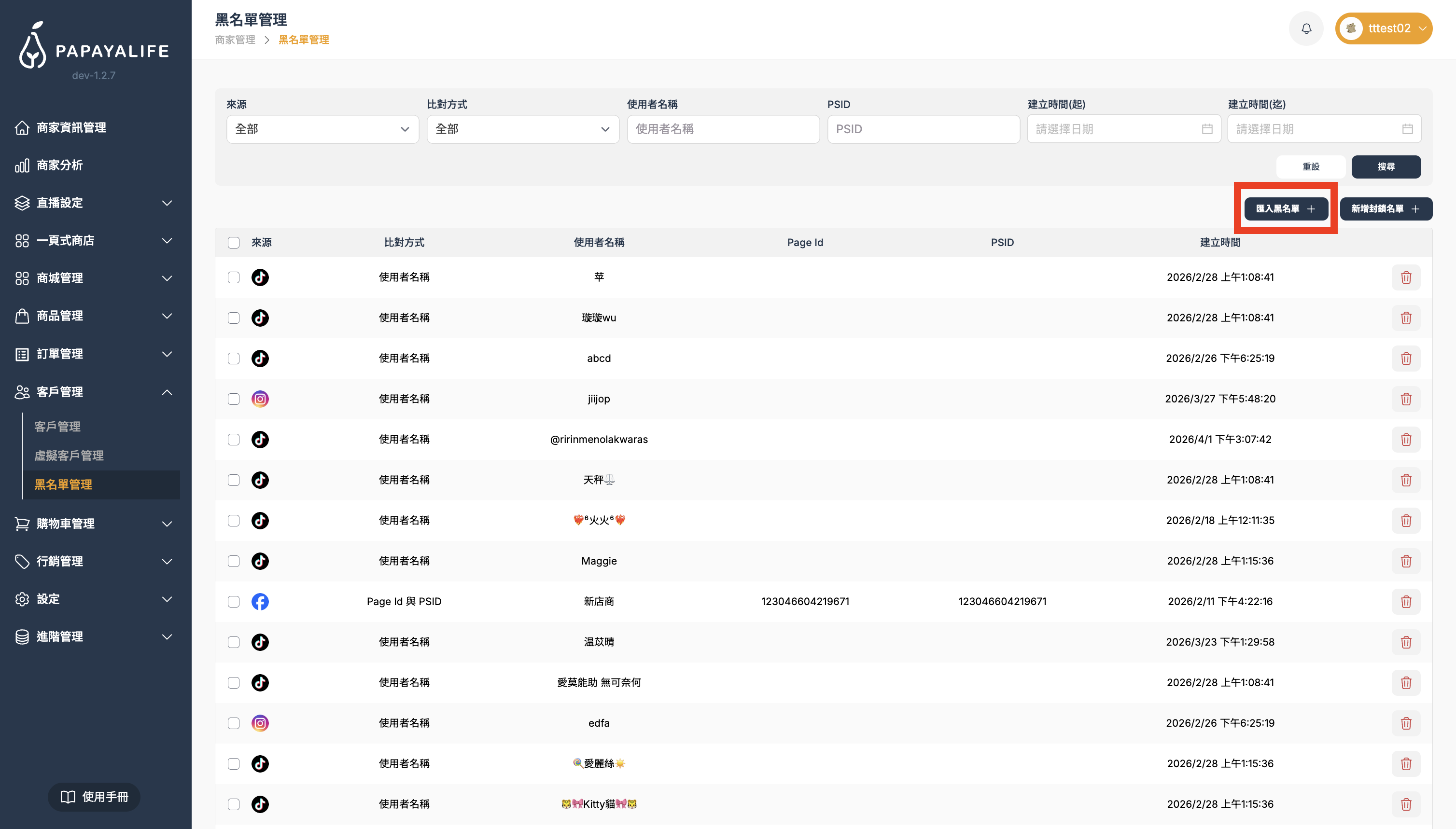
點擊右上角的深色按鈕 「匯入黑名單 +」。
Step 2.
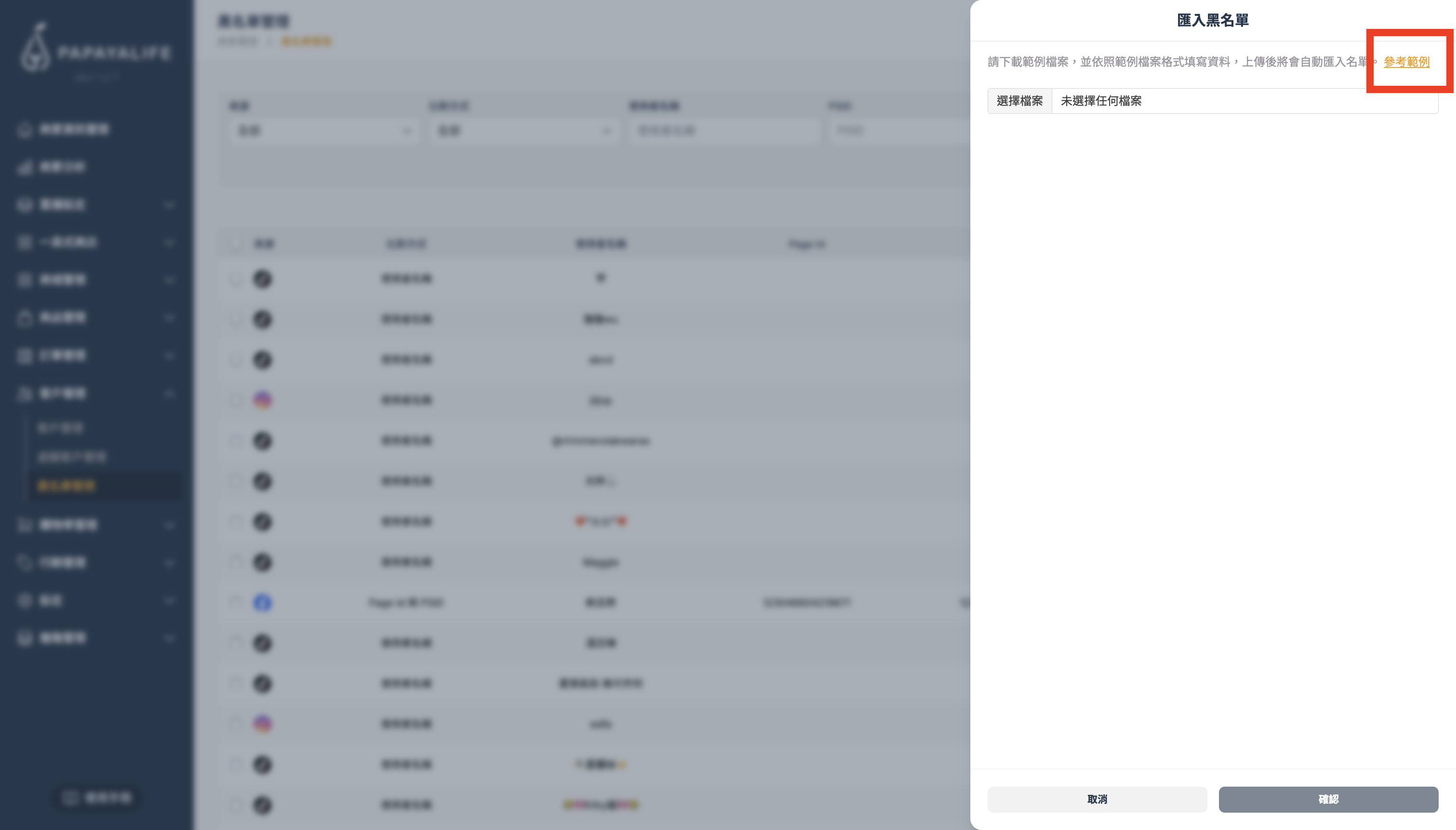
點擊「參考範例」並下載開啟。
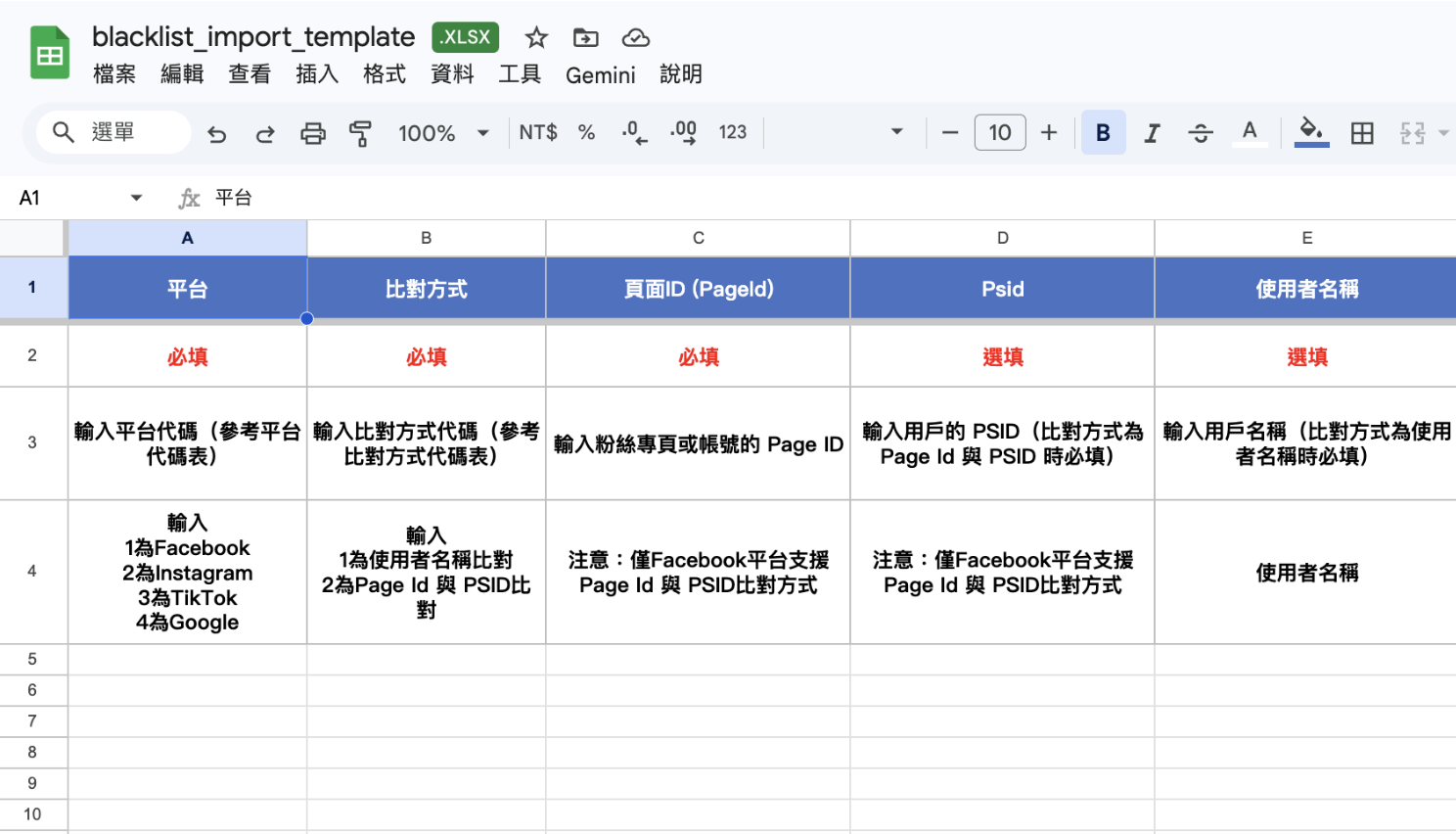
依照參考範例中的 Excel 模板欄位填入對應的資訊,輸入完成上傳匯入該 Excel 檔案即可。

2026-04-12
功能列位置:左側導覽列「客戶管理」>「黑名單管理」
點擊右上角的深色按鈕 「匯入黑名單 +」。
點擊「參考範例」並下載開啟。
依照參考範例中的 Excel 模板欄位填入對應的資訊,輸入完成上傳匯入該 Excel 檔案即可。
2026-04-12
功能列位置:左側導覽列「客戶管理」>「黑名單管理」
點擊右上角的深色按鈕 「匯入黑名單 +」。
點擊「參考範例」並下載開啟。
依照參考範例中的 Excel 模板欄位填入對應的資訊,輸入完成上傳匯入該 Excel 檔案即可。
Wanlin International is more than a technology provider—we’re a partner with heart.
Our team brings diverse expertise and one shared belief: serve with care and build a better future together. Let’s meet every challenge and help every live host unlock their full potential on the PAPAYALIFE platform.